Instagram Text Spacer & Fonts
Clean formatting and aesthetic styles for your social media!
How to Use IG Text Spacer Complete Guide (2026)
Instagram captions play a huge role in engagement, branding, and communication. But one of the biggest problems users face is broken formatting. You write a perfectly structured caption with spacing and line breaks and Instagram removes everything.
This is where IG Text Spacer becomes essential.
In this complete guide, you will learn what IG Text Spacer is, why it matters, how to use it step-by-step, and how it can improve your Instagram performance.
What Is IG Text Spacer?
IG Text Spacer is a free online tool that helps you format Instagram captions properly. It allows you to add line breaks, spacing, and stylish fonts that remain intact after posting.
- ✅ Fix Instagram line break issue
- ✅ Add clean spacing between paragraphs
- ✅ Use stylish fonts
- ✅ No login required
- ✅ 100% free tool
Why Instagram Caption Formatting Matters
Most users don’t read captions — they scan them quickly.
If your caption is a big block of text, people will ignore it. But if it is clean, spaced, and easy to read, users are more likely to engage.
Better formatting leads to:
- Higher engagement
- More comments
- Better readability
- Improved brand image
How to Use IG Text Spacer (Step-by-Step)
Step 1: Open IG Text Spacer
Go to igtextspacer.com using your browser. The tool works on mobile and desktop.
Step 2: Enter Your Caption
Type or paste your Instagram caption into the text box. Add line breaks where needed.
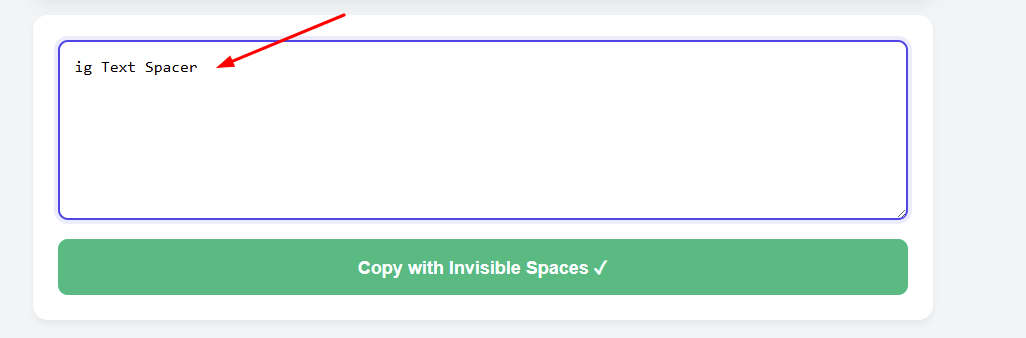
Step 3: Add Spacing & Fonts
You can format your text with spacing and apply stylish fonts for better visual appeal.
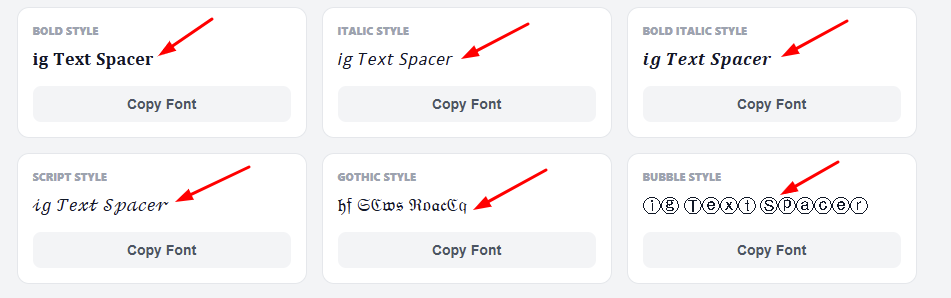
Step 4: Copy Formatted Text
Click on the “Copy & Fix Spaces” button to generate the formatted version.

Step 5: Paste on Instagram
Paste your caption into Instagram. Your spacing and formatting will remain intact.
Best Practices for Instagram Captions
- ✔ Keep paragraphs short
- ✔ Use line breaks for readability
- ✔ Add emojis for engagement
- ✔ Use a strong hook in first line
- ✔ Add CTA at the end
Who Should Use IG Text Spacer?
This tool is useful for anyone using Instagram:
- Content creators
- Influencers
- Business owners
- Social media managers
- Personal brands
Frequently Asked Questions
Is IG Text Spacer free?
Yes, it is completely free with no hidden charges.
Do line breaks really work?
Yes, the tool ensures spacing remains after posting.
Can I use it on mobile?
Yes, it works perfectly on smartphones.
Is my data safe?
Yes, your text stays in your browser.
Conclusion
Instagram formatting issues can ruin your content. IG Text Spacer solves this problem instantly.
By using proper spacing, you can improve readability, engagement, and overall content quality — tips and tricks you can explore further on the iGTextSpacer blog.